
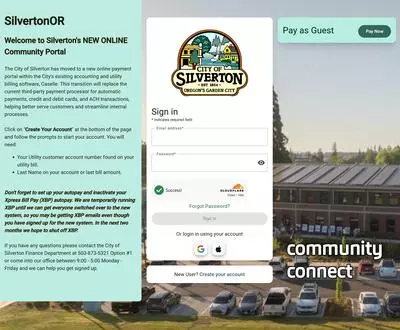
City of Silverton – Payment Portal
How to Create Your Account
The City of Silverton is moving to a NEW online payment portal through our current utility billing system. This will streamline payments, information and increase the types of online payments the City can take (ie Apple Pay, chip, pin, etc).
Please create your account with our new portal, once all customers have done this we will be shutting down the Xpress Bill Pay option.
Your Xpress Bill Pay account will not work, you MUST set up a new account.
1. Use the portal website by opening an internet browser and enter the URL: https://silvertonor.ourcommunityconnect.com/
2. Click Create Your Account. (At the bottom of Sign In screen.)
3. Enter your email address. (This is your user name to sign in to the portal)
- Special Note: Each person in the household can sign up for a portal account with their own email address and make payments on the account.
4. Enter your password. (This is your password to sign in to the portal)
5. Enter your mobile phone number.
- You should:
- Use a mobile phone number with text messaging.
- The portal will use your mobile phone number to authenticate your identity.
- Check Opt In to enroll in text message alerts for:
- Receipts
- Notifications for application processing, approvals, etc.
- Payment processing reminders for Auto Pay.
6. Click Register.
7. Use the authorization code sent to your mobile device to authenticate your account.
8. Link your portal account to your utility account. You will need:
- Your utility customer account number found on your utility bill
- Last Name on account or last bill amount.
9. Set up Auto Pay.
- When you set up autopay through the NEW online payment portal, please turn off any current autopays you have set up through Xpress Bill Pay (XBP).
Please Note: Access to Xpress Bill Pay will be discontinued on June 30, 2026.
If you need help setting up your account please come into the Finance Department, 9:00 AM - 5:00 PM, Monday - Friday. We will be happy to help you.